Changing a Listing
You can easily change the price, payment token or the metadata of a listing in the Seller Dashboard.
-
Click on "Manage Listings" for the storefront you want to change a listing for.
-
You should see a list of your current listings. Click on "Edit Price" or "Edit Metadata" next to the listing you want to change.
Don't Forget to Confirm
Each step in the wizard requires a blockchain transaction. Click the blue button at the bottom of the wizard to trigger it, then confirm the transaction in your wallet before clicking Next.
Changing the Price, Payment Token or Affiliate Fee
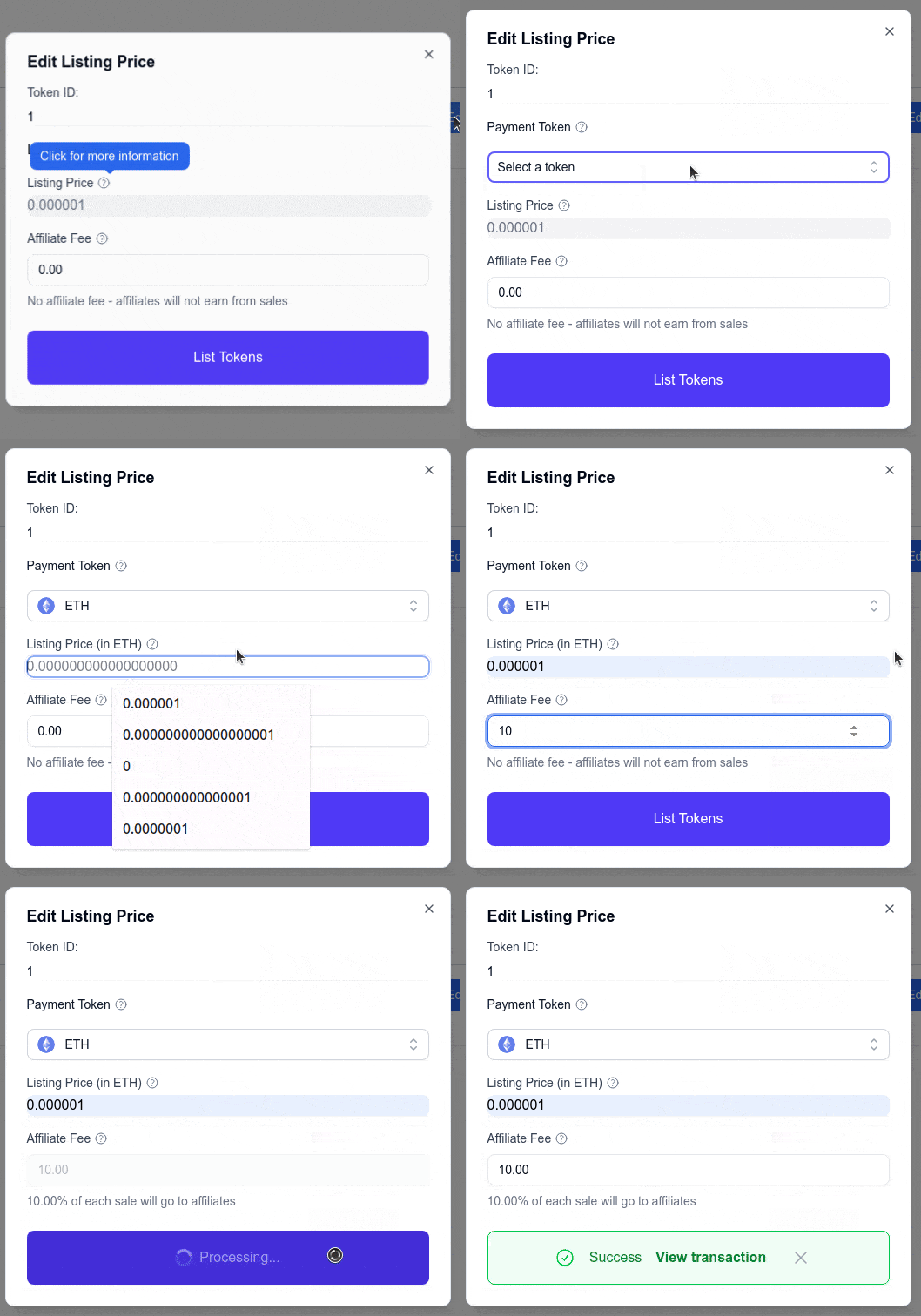
- After clicking on "Edit Price", you should see a form where you can select a new payment token, set a new price and affiliate fee.
- Once you've selected the new payment token and set the new price and affiliate fee, click "List Tokens" and confirm the transaction in your wallet.
Changing the Metadata
- After clicking on "Edit Metadata", you should see a form where you can change the metadata of the listing.
- Once you've changed the metadata, click "Set Metadata" and confirm the transaction in your wallet.