How to purchase
We're aiming to make the purchase process as simple as possible.
The Payment Token
Depending on the sellers choice, you can purchase an item using a stablecoin like USDC, or native ETH, or even meme coins like DEGEN. Any token except ETH will require you to approve the token before the transaction can be initiated. Unlike many DeFi protocols, we will never ask for unlimited approval, but only the amount needed for the purchase.
Product Types
UMP supports two types of listings:
Physical Goods
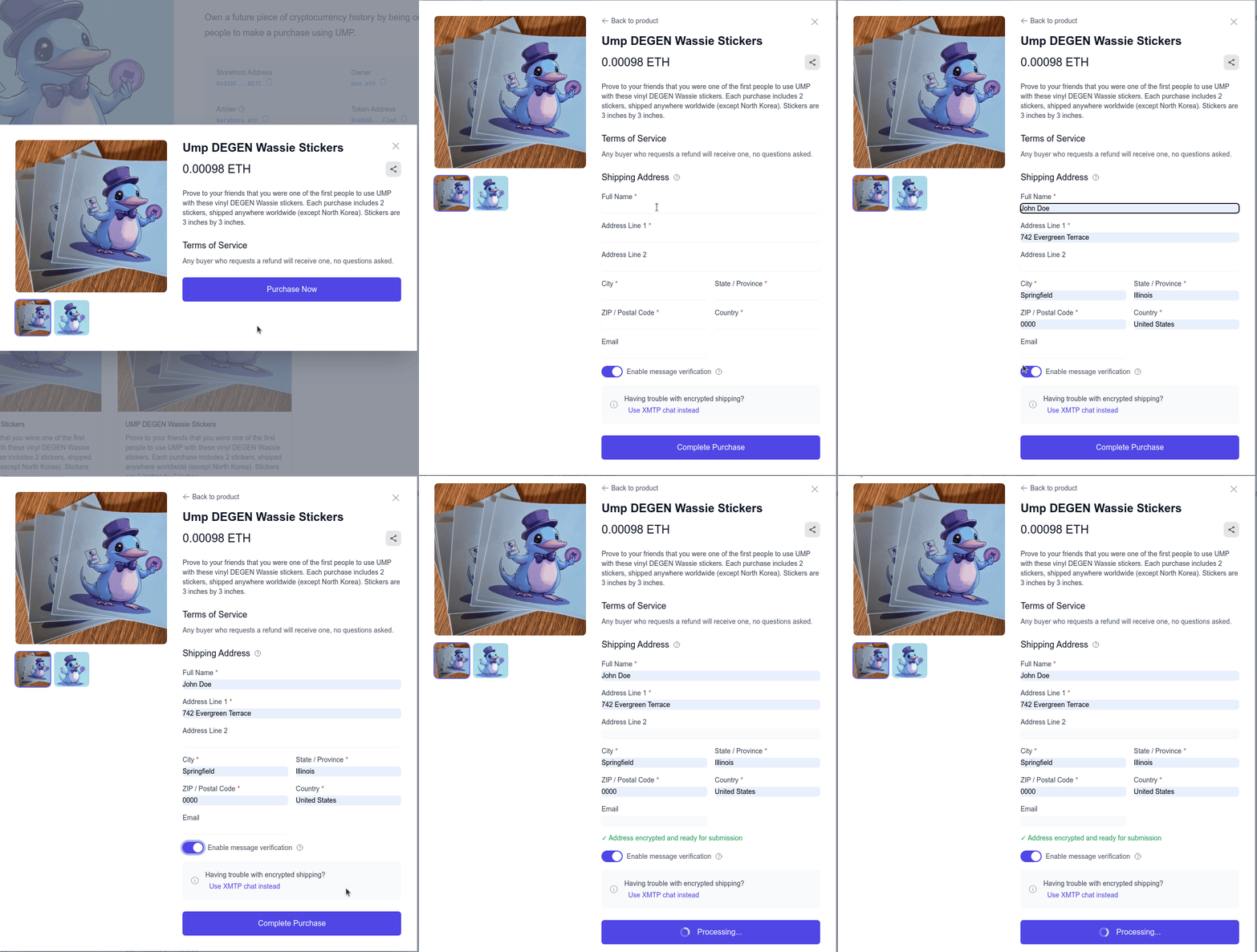
For physical items that need to be shipped, you'll be asked to provide a shipping address.
Digital Goods
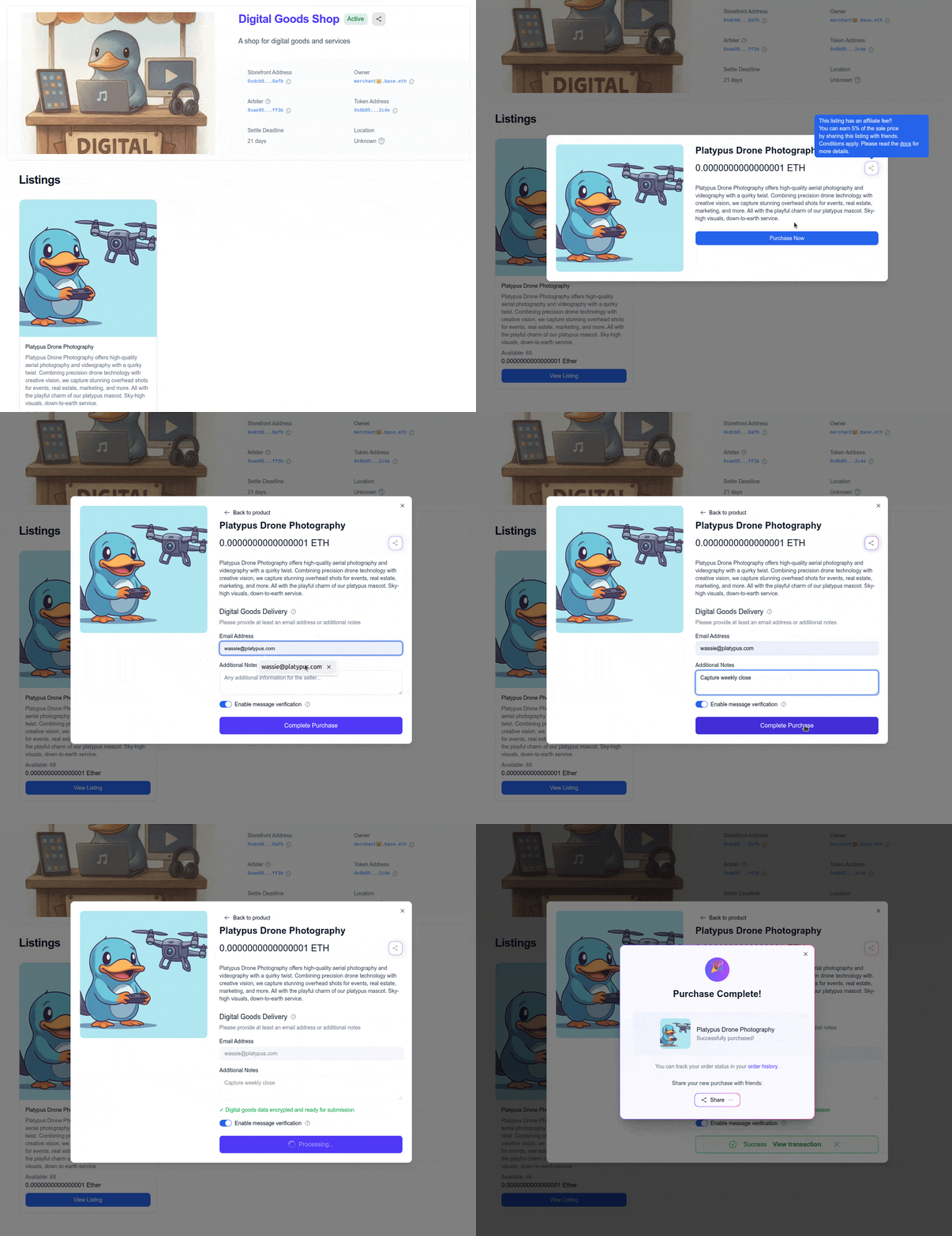
For digital products like software, e-books, or digital art, you'll be asked to provide: - Email Address: Where the seller can send your digital goods - Message to Seller: Any specific instructions or requirements for your digital purchase
Shipping Address (Physical Goods)
When entering your shipping address for physical goods, you'll notice a toggle to "enable message verification". This is a feature of UMP that allows you to prove the contents of the message to the arbiter.
When enabled, a verification hash is added to the message that can be used to prove the authenticity of the message. This is useful in case of a dispute which involves the arbiter (who can't decrypt the message).
You can read more about our encryption process here.
Digital Goods Information
When purchasing digital goods, you'll need to provide either your email address or a message to the seller. This information is encrypted and stored securely on the blockchain, ensuring your privacy while enabling the seller to deliver your digital goods.
The message verification feature is also available for digital goods purchases, allowing you to prove the contents of your message to the arbiter if needed.
Confirming the purchase
Once you've filled in all the required fields, you can confirm the purchase by clicking on "Complete Purchase" and signing the transaction with your wallet.