Arbiter's Guide
As an arbiter, you play an important role in managing disputes between buyers and sellers. You can handle all disputes through the Order History page.
Checking Shipping Addresses
One common reason for disputes is incorrect shipping addresses. Thanks to Hermes-ETH, we can verify the authenticity of the shipping address message. Buyers can choose whether to use this feature or not.
How to Verify a Message
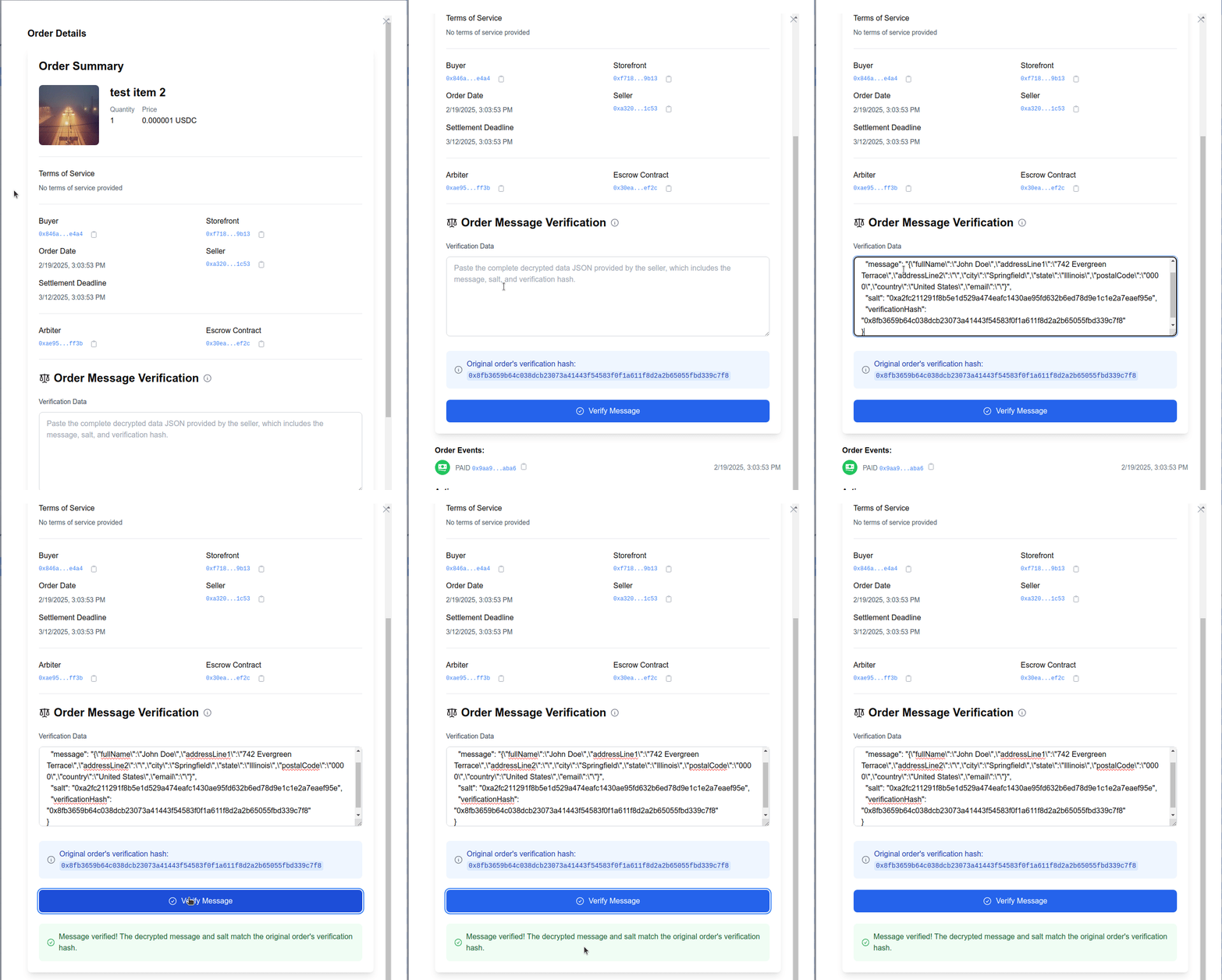
When there's a dispute about a shipping address, follow these steps to check if it's real:
- Get the decrypted message from the seller
- Go to the Order Details section
- Find the "Order Message Verification" box
- Copy and paste the entire message into the verification field
- Click "Verify Message"
The system will tell you if the message matches what the buyer originally sent. If it matches, you know the seller is showing you the real address. If it doesn't match, the seller might be showing you a different address.
When Message Checking Isn't Available
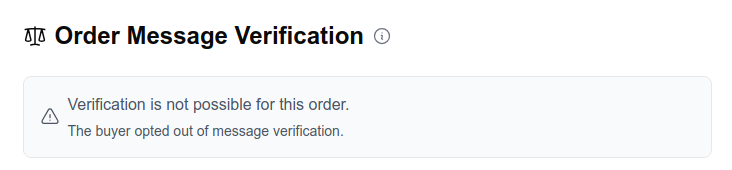
If the buyer opted out of message verification, you'll see this message:
Managing Disputes
Order Timeline
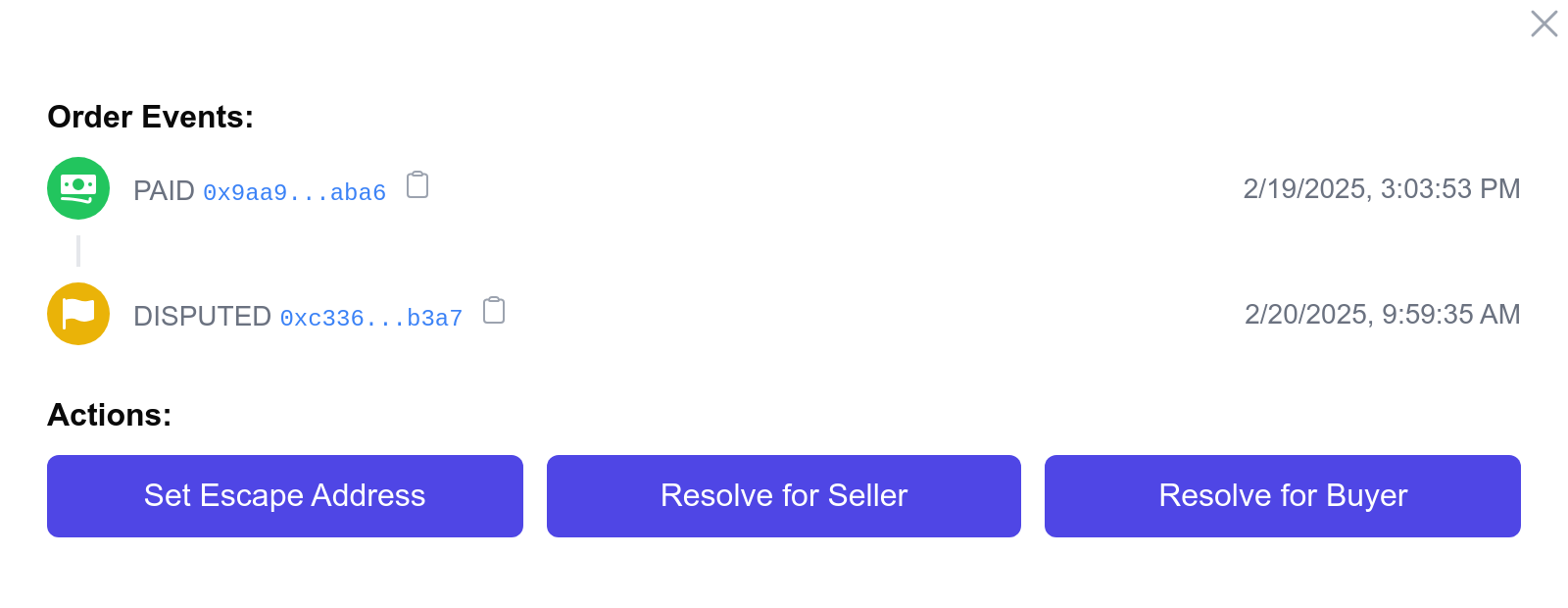
The Events section shows you everything that has happened with an order, like:
- When the payment was made
- When the order was confirmed
- When someone opened a dispute
- ...
Actions
Depending on the order status, you may be able to:
- set an escape address
- resolve a dispute in favor of the buyer
- resolve a dispute in favor of the seller
As always, don't forget to sign the transaction with your wallet.